This collection documents five i486 platforms preserved in my personal sanctuary. It also marks the graduation of karing.jp from i486 operations, scheduled for December 30, 2026. Leading the lineup is an active production web and mail server that has remained continuously connected to the public internet for 24 years—maintained to this day on modern patched Linux kernels.
Note: All prices are in Japanese yen (JPY) and reflect the total amounts I paid at the time of purchase, including the item price, tax, shipping, and fees.
By yoshinobu November 22, 2026
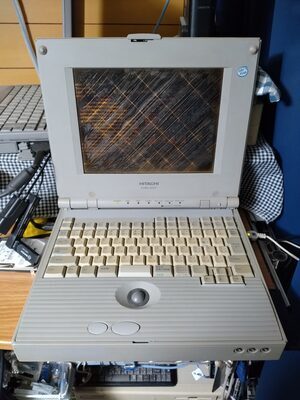
1. HITACHI FLORA 3010CT: The Flagship Public Server
Gentoo Linux (i486), Linux kernel 7.0.14 (custom backported)
Acquisition:
Jun. 2002 (CompuAce, Akihabara — ¥2,980)
Role:
Continuous live HTTP/SMTP internet server (2002 – Present)
The 24-Year Workhorse
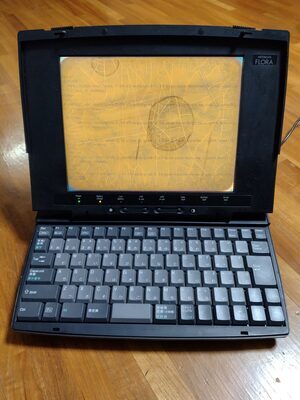
Acquired in 2002 at the legendary Akihabara surplus outlet CompuAce for ¥2,980, the HITACHI FLORA 3010CT serves as the core operational server of karing.jp. While the vinegar syndrome on the built-in TFT panel visibly marks the passage of decades, the machine itself still carries production traffic, running Apache and Postfix through a PCMCIA network card.
Survival Engineering: Storage, Power & Kernel
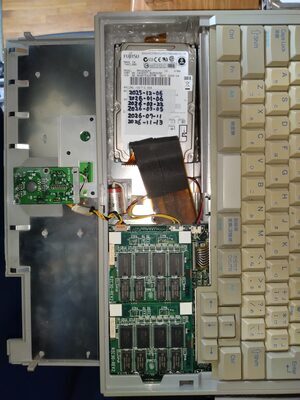
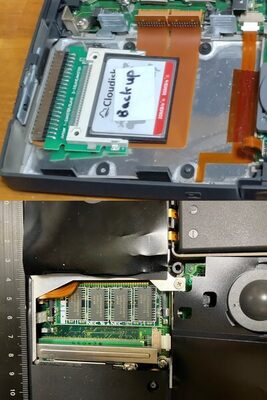
Disk Image Management: All i486 machines in this collection use an identical cloned Gentoo Linux disk image. At boot, the system identifies the host machine and applies its machine-specific configuration. Since building and updating Gentoo packages directly on these i486 systems is impractical, all updates are performed on a modern machine. The updated disk image is then deployed by swapping the HDD. This approach keeps all machines on a common software base while allowing each to retain its own identity and configuration.
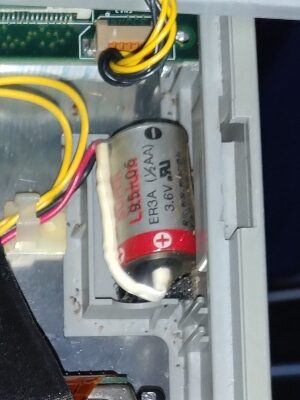
CMOS Preservation: Volatile BIOS configuration is maintained by a 3.6 V 1/2AA lithium cell (ER3A)—the wire-leaded sibling of the ER3S PRAM battery widely used in 1990s Macintosh and Bandai Pippin Atmark systems, reflecting an era before CR2032 coin cells became the universal PC/AT standard. Because the server has remained continuously powered on for decades, the cell has seen minimal drain and should comfortably outlast the remaining time until the machine’s retirement.
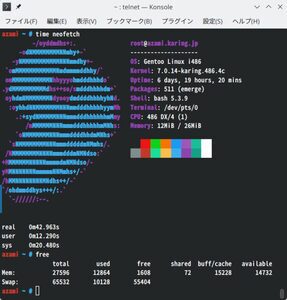
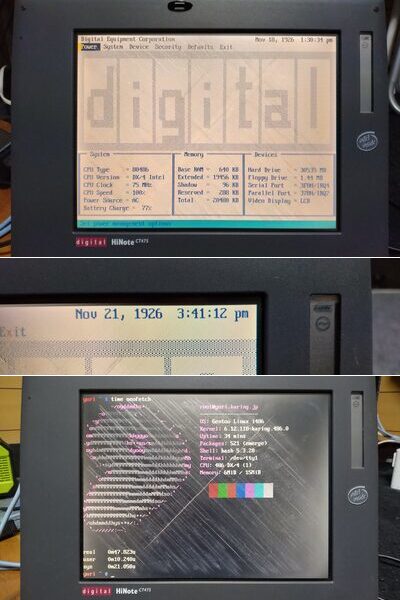
Modern System Constraints: Running modern Linux with just 32 MB of RAM requires aggressive kernel trimming and custom backports of security fixes, such as CVE-2026-98432. The latest default password-hashing algorithm, yescrypt, is computationally too demanding for the i486DX4 at 75 MHz, exceeding the 60-second login timeout. Consequently, the system has reverted to SHA-512, the former default hashing algorithm—along with numerous other low-level workarounds.
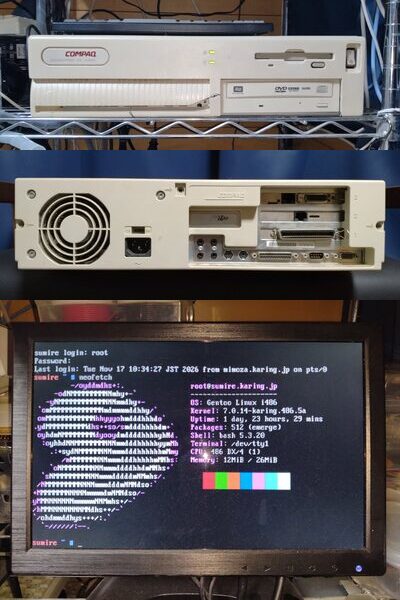
Internal bay showing Fujitsu 40 GB HDD. The original 340 MB HDD has a different mounting-hole layout, so its bracket cannot secure newer drives.ER3A lithium backup cell. The palm rest can be easily removed by pressing the latches on both sides for access to HDD, ER3A and RAM.Terminal output verifying Gentoo Linux, kernel 7.0.14, and 32 MB RAM. neofetch took about 43 seconds—a respectable result! Taking over a minute is quite normal.
Gentoo Linux (i486), Linux kernel 7.0.14 (custom backported)
Acquisition:
Apr. 2000 (CompuAce, Akihabara — ¥2,205)
Role:
Development node, i486 test environment & cold standby failover
The Senior Workhorse of karing.jp
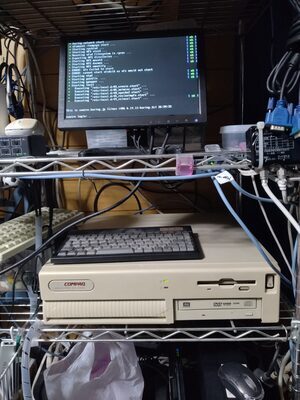
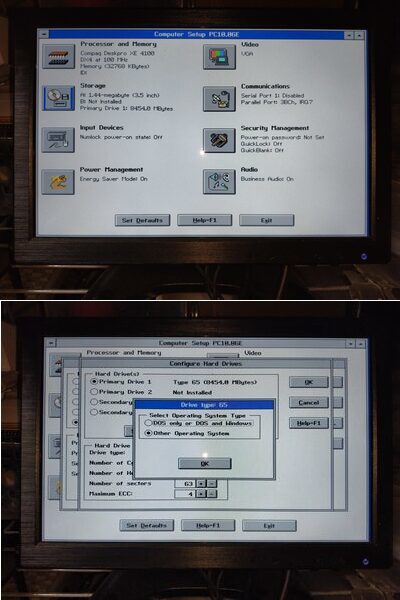
Purchased at CompuAce in 2000 for ¥2,205 —predating the FLORA 3010CT by two years—the COMPAQ DESKPRO XE 4100 is the oldest piece of equipment in karing.jp’s infrastructure. Housing a 100 MHz Intel i486DX4 and 32 MB of SIMMs in Compaq’s classic slimline desktop chassis, it functions as the designated cold standby failover node for karing.jp and the staging ground for kernel testing.
ISA Expansion & Legacy Maintenance
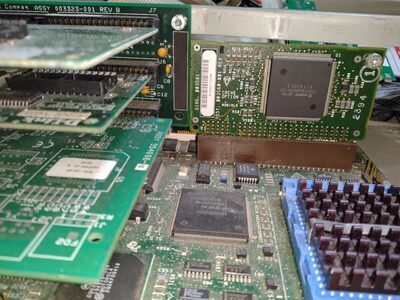
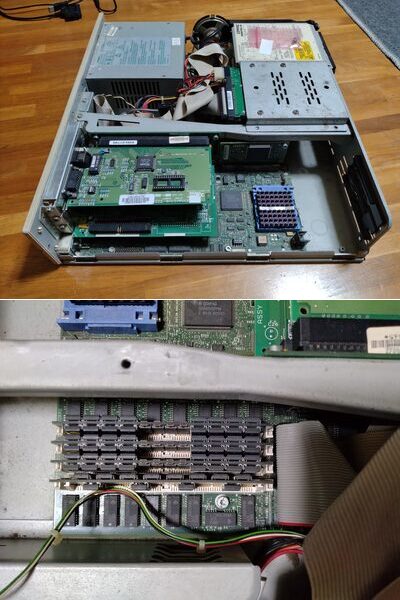
ISA Expansion Cards: The internal riser cage provides 4 ISA slots: three on the CPU side and one on the PSU side. The three CPU-side slots house a 3Com EtherLink III (3C509) at the top, a D-Link DE-220P in the middle, and an Adaptec AHA-1510A at the bottom.
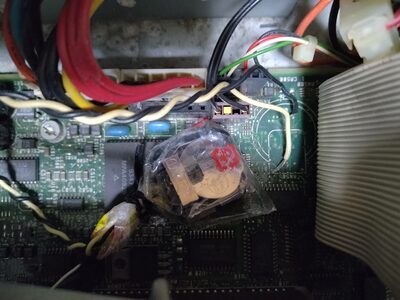
CMOS Battery Holder: After removing the depleted soldered RTC battery, an external CR2032 coin-cell holder was connected directly to the motherboard header, preserving hardware configuration and avoiding the recurring hassle of using the Compaq Setup diskette.
Modern Linux Deployment: Despite its legacy ISA/IDE bus limitations, the system boots modern custom-built Linux kernels and runs Apache, Postfix and NFS daemons. The disk image is a clone of the HITACHI FLORA 3010CT (rita.karing.jp). Notably, this is the only machine in the collection equipped with L2 cache (256 KB), which provides a noticeable performance boost.
Classic Compaq desktop chassis with active power LEDs and retrofitted DVD-RAM drive. The front-panel plastic has become very brittle with age.Internal riser assembly housing the 3Com 3C509 and others. After much trial and error, the 4 SIMM slots could only recognize up to 32 MB (4 MB onboard + 28 MB of SIMMs).Quirky Compaq BIOS: configuring the OS type selection for the HDD is particularly troublesome.
3. DEC HiNote CT475: The Field-Serviceable Subnotebook
32 GB CompactFlash (via internal 2.5" IDE adapter)
PCMCIA:
Type II x2 or Type III ×1
Network:
3Com EtherLink III LAN PC Card (3C589C PCMCIA)
FDD:
Internal 3.5" floppy drive (non-functional)
OS / Kernel:
Gentoo Linux (i486), Linux kernel 6.12.x LTS
Acquisition:
Aug. 2026 (Yahoo! Auctions Japan — ¥2,480)
Role:
Lightweight edge node & lowest spec demonstration unit
DEC Industrial Design & Field Serviceability
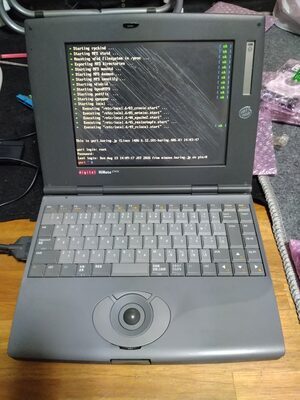
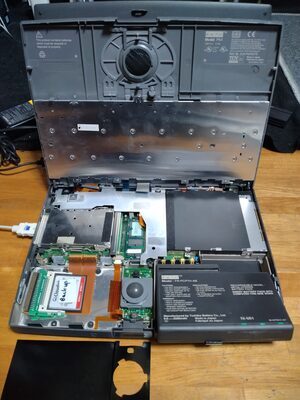
Acquired in 2026 for ¥2,480, the Digital Equipment Corporation (DEC) HiNote CT475 is a standout example of mid-90s portable engineering. Unlike typical laptops of the era requiring destructive teardown, the CT475 features a flip-up keyboard assembly. Releasing the latch provides instant, tool-free access to the memory expansion bay, FDD unit, and internal drive bracket.
Storage Quirks & Memory Trade-offs
IDE Addressing Boundaries: The internal IDE controller has outdated drive geometry limitations: 4 GB HDDs boot reliably, while 40 GB HDDs fail to be detected. A 32 GB CompactFlash card, however, operates without causing BIOS lockups.
Memory Headroom: With 20 MB of total RAM (leaving ~15 MiB available to userspace), experimental builds of Linux 7.0.14 boot successfully, though day-to-day operations run on a stripped-down Linux 6.12 LTS kernel with memory-heavy daemons like Postfix disabled to preserve the page cache.
DEC’s signature flip-up keyboard mechanism exposing internal modular bays.In my tests, 4 MB 72-pin SO-DIMM modules designed for NEC 98NOTE worked in the CT475.The CT475 BIOS is accessible at any time by pressing Fn + F3, even while the OS is running.
32 GB CompactFlash (via internal 2.5" IDE adapter)
PCMCIA:
Type II ×1
Network:
Integrated 10BASE-T Ethernet (NE2000)
FDD:
Internal 3.5" floppy drive (functional)
Acquisition:
Oct. 2026 (Yahoo! Auctions Japan — ¥3,600)
Role:
Early i486SX hardware preservation & display piece
Early Notebook Design & Serviceability Mystery
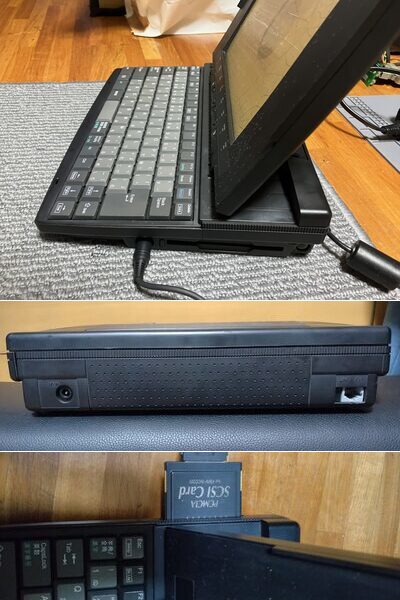
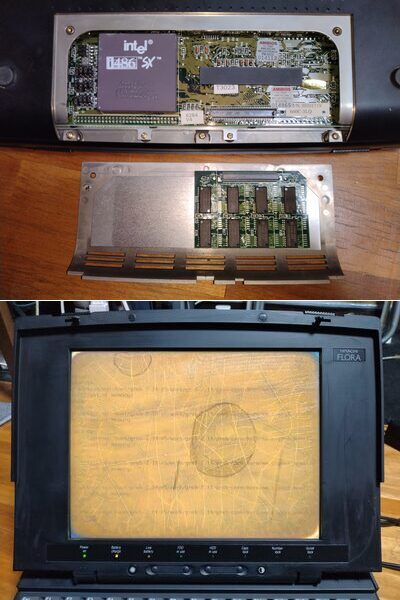
Acquired in 2026 for ¥3,600, the HITACHI FLORA 1010NC represents an earlier generation of Hitachi’s business notebook lineup. Powered by a pure Intel i486SX running at 33 MHz without an integrated FPU, the machine features a distinctive sliding hinge mechanism that angles the display forward as the lid opens, alongside an integrated RJ-45 Ethernet port that makes up for its single half-depth PCMCIA slot.
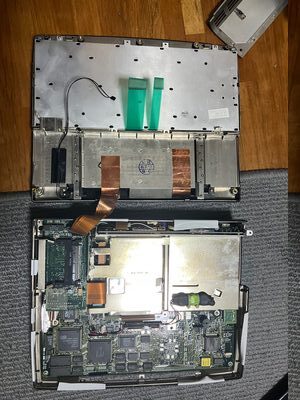
Internally, the chassis presents a serviceability mystery: while the CPU socket and proprietary RAM slot are immediately accessible through a simple bottom service hatch, replacing the internal 2.5" HDD requires a complete teardown of the upper casing.
The 4 MB Wall
Although the system supports up to 36 MB of RAM, the installed 4 MB expansion module is not recognized, leaving the machine with only its 4 MB of onboard memory. Nevertheless, Windows 3.1? ran from the original 200 MB HDD. Once fitted with a 32 GB CompactFlash card, the system completes POST successfully. However, loading a modern graphical GRUB 2 environment immediately exhausts the available 4 MB of RAM, resulting in an out of memory error before any modern kernel can be loaded.
The ancient forward-sliding display hinge, integrated RJ-45 Ethernet port and half-depth PCMCIA slot.Replacing the HDD requires a complete teardown of the upper casing.Bottom service bay revealing the ceramic Intel i486SX processor and memory expansion slot. Oh! heatsink-less!
5. TOSHIBA DynaBook V486FV: The Proprietary Rabbit Hole
Feb. 2026 (Mercari — ¥2,544) Two Donors: Jun. 2026, Oct. 2026 (Yahoo! Auctions Japan — ¥2,230 & ¥5,000)
Role:
Hardware troubleshooting study & donor-supported preservation
The Interposer Hunt
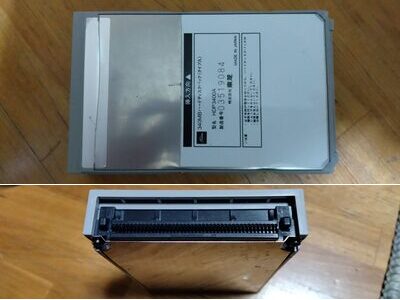
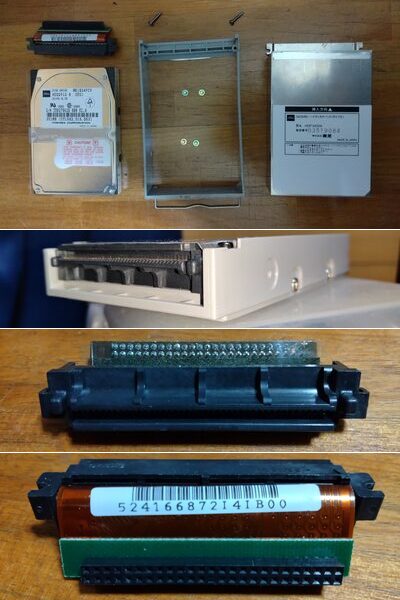
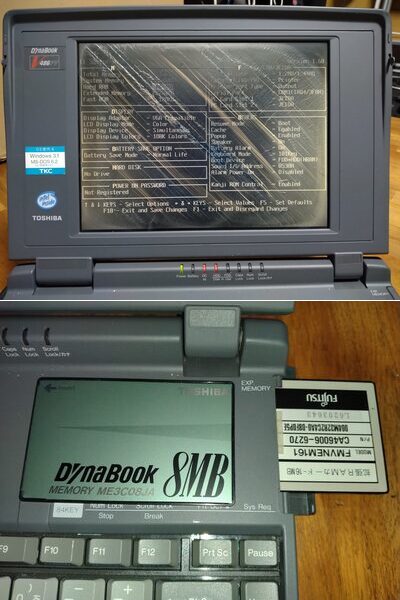
Acquired on Mercari in February 2026 for ¥2,544, the TOSHIBA DynaBook V486FV (FV4755TW) pairs a 75 MHz i486DX4 with Toshiba’s classic mid-90s gray chassis. While the machine passed POST cleanly, it was missing Toshiba’s proprietary HDD pack including 1.27 mm-pitch interposer. It readily acceptes a 16 MB Fujitsu JEIDA memory card to reach 24 MB total RAM.
The Donor Trail & Faulty Controller
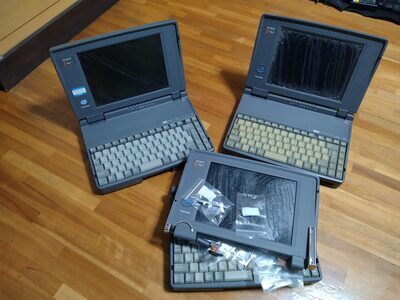
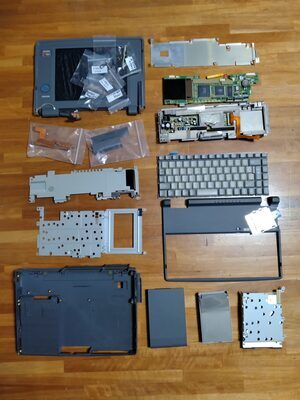
To obtain the elusive Type-A HDD pack (HDP3400A), two non-working TOSHIBA DynaBook V486A units (i486SX / 33 MHz) were acquired through Yahoo! Auctions Japan in June (¥2,230) and October (¥5,000). The first V486A had only the drive cage, without an interposer. Finally, the second one provided an intact, genuine interposer assembly.
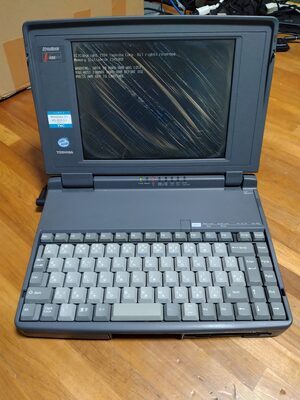
Unfortunately, even with a verified HDD pack and a known-good HDD installed, the V486FV’s BIOS persistently reports HARD DISK: No Drive. Electrical tests suggest a hardware failure in the onboard IDE controller, leaving this 24 MB i486DX4 system unable to boot from fixed storage despite extensive efforts to salvage parts from three machines.
The worst nightmare of 2026!The anatomy of the DynaBook V486A.The 1994 Toshiba BIOS POST confirming "No Drive" and "24576KB" of RAM, beside the period Windows 3.1 / MS-DOS 6.2 badges.